
 Brawl
 Kirby Fighters 2
 Melee
 Project+
 Rock Paper Scissors
 Sm4sh 3DS
 Sm4sh Wii U
 Smash 64
 Smash Crusade
 SSF2
 Ultimate
SmashLadder on Discord
The SmashLadder bot posts who is looking for a match in your Discord server, with links to challenge them. You play on SmashLadder as usual; the bot just makes sure people hear about it.
How it works
Each Discord channel that follows a ladder gets one message from the bot, the search board. It updates itself as searches start and end, at most once a minute.
- A new search pings the server's role, at most once every 30 minutes, so a busy evening doesn't flood anyone's notifications.Friendlies and ranked can have separate roles.
- Members of the server are named, with their search message.
- Everyone else is "A player" with their rank, region and set length.
- Challenge opens that player's search on SmashLadder.
- Ranked players are never named, only counted.Queue for ranked puts you in the normal ranked queue, so you may be matched with them or with someone else.
- When nobody is searching, the board says so and offers to start a search.
Challenging someone from Discord
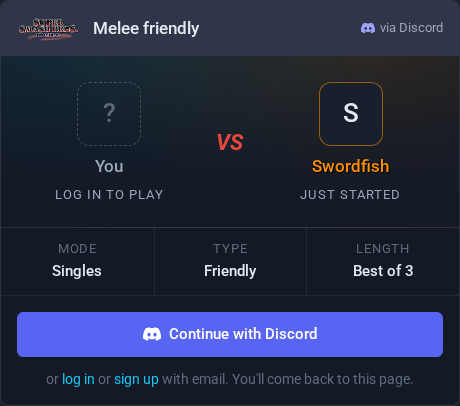
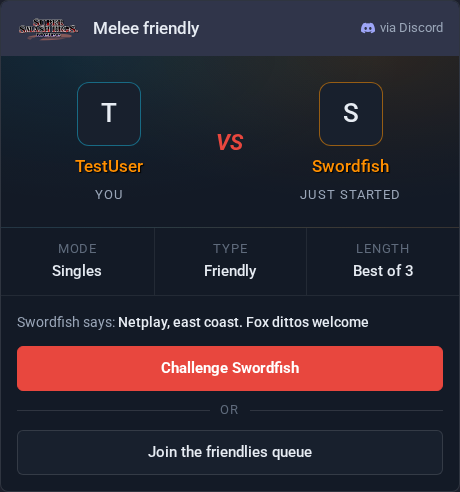
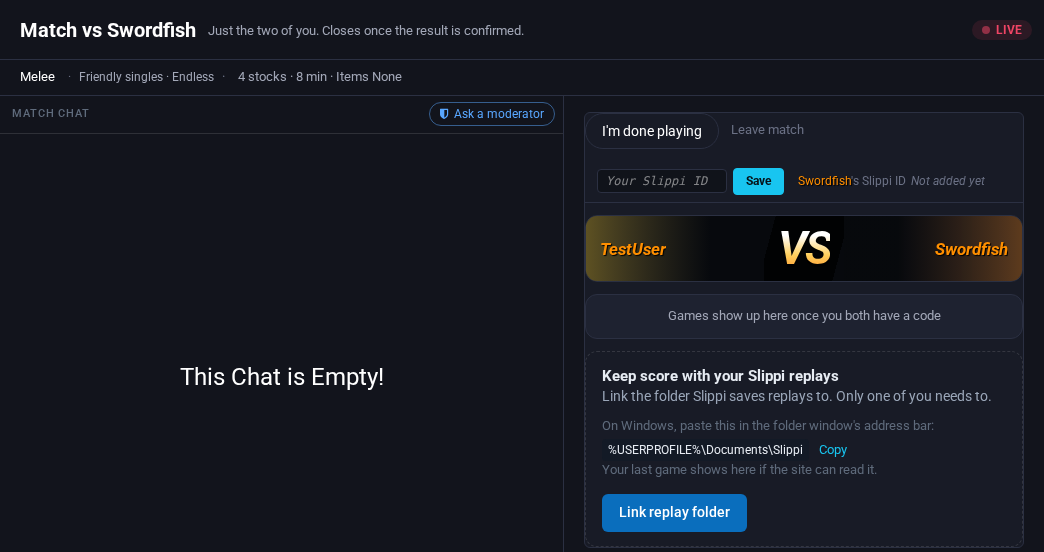
- Click Challenge next to a player on the board.
- Not logged in? Continue with Discord makes or links your SmashLadder account and brings you straight back.
- Check the set length and their message, then click Challenge.Nothing is sent until you do, so opening a link by accident never challenges anyone.
- If they're already in a match, Join the friendlies queue starts your own search instead.
- When they accept, the match opens on the Play page like any other match.
Your own searches
Your friendly searches are listed in every Discord server that follows the ladder.
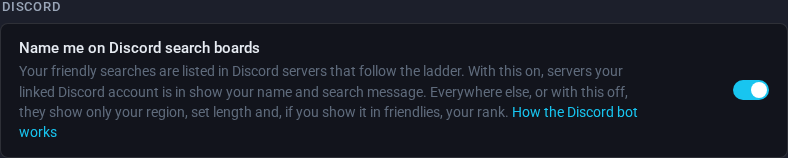
- In servers your linked Discord account is in, boards show your name and search message.
- Everywhere else they show only your region, set length and, if you show it in friendlies, your rank.
- Turn off Name me on Discord search boards to stay unnamed everywhere.Change it any time in Account Settings.
Searches aren't announced when they can't be challenged from a link: automatic-matching-only searches, searches limited to nearby players, and doubles.
Adding the bot to your server
You need to own the server or have Manage Server in it.
- Add the SmashLadder bot to your server. Discord asks you to pick the server and lets the bot view channels, send messages, embed links and read message history, then brings you back to SmashLadder.
-
Decide who the bot pings when a new search shows up:
- A role for people who want to hear about matches, for example @Melee Friendlies. Turn on Allow anyone to @mention this role in its settings so the bot can ping it.
- @everyone in the channel, for a channel that's only for matchmaking. In the channel's settings, under Permissions, give the SmashLadder bot Mention @everyone, @here, and All Roles.
- On your server's page on SmashLadder, pick the ladder, the channel and the roles to ping. Friendlies and ranked can ping different roles; without a ranked role, the board lists friendlies only. Send a test message to check the bot can post there.
- Save it. The board appears the next time someone searches. Each ladder gets one channel in a server, so add a board for each game your server plays.
Already added the bot? Change your boards on your Discord servers.
Report a problem with the bot
Something wrong with the bot or its board? Send us a support ticket.